
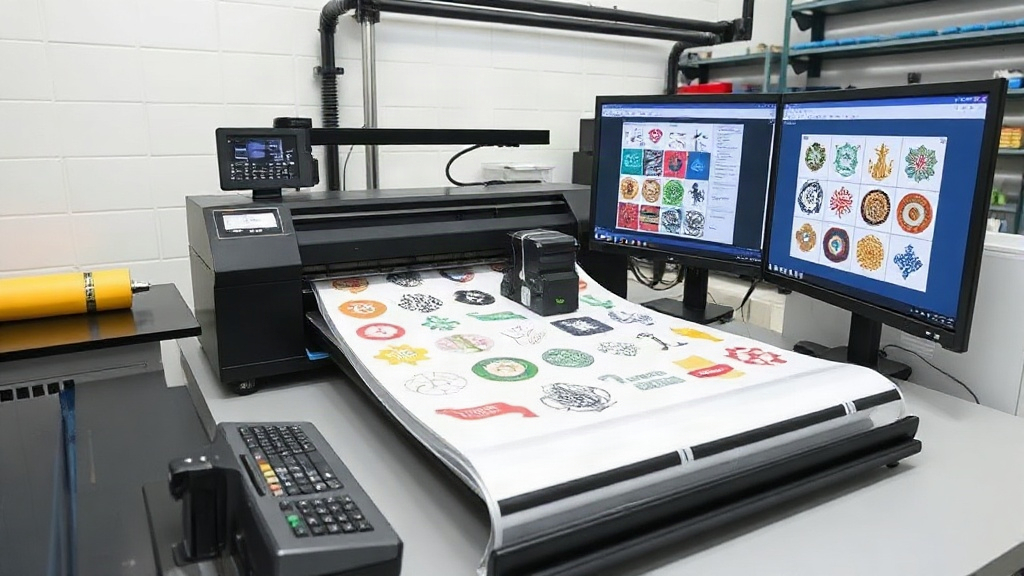
If you run a custom apparel business, you know that efficiency and cost control are everything. Every wasted inch of film, every minute spent manually arranging designs, and every misprint eats into your profits. That's where a DTF gangsheet builder comes in. This powerful tool lets you combine multiple designs into a single sheet, maximizing your DTF printer's output while minimizing waste. But it's not just about saving money; it's about transforming your entire workflow. In this article, we'll explore how a gangsheet builder can revolutionize your DTF printing process, from design to finished product.
What Exactly Is a DTF Gangsheet Builder?
Before diving into the benefits, let's clarify what a gangsheet builder is. In DTF (Direct to Film) printing, a gangsheet is a layout of multiple designs arranged on a single sheet of film. Traditionally, you might manually place designs in your graphics software, trying to fit as many as possible without overlapping. A DTF gangsheet builder automates this process. It's a software tool that lets you upload your artwork, set the dimensions of your film roll, and then intelligently arranges the designs to use every available square inch. Think of it as a puzzle solver for your printing needs.
How It Works: A Step-by-Step Overview
Using a gangsheet builder is straightforward. First, you upload your design files (usually PNG or PDF with transparent backgrounds). Then, you input the width of your DTF film roll, which is typically 13, 17, or 24 inches. The builder then calculates the optimal arrangement, considering factors like design size, quantity, and spacing. You can often adjust spacing, rotate designs, and even nest smaller items into gaps. Once you're satisfied, the builder generates a single file ready for printing. This file includes all your designs with proper spacing and crop marks if needed.
Why You Need a DTF Gangsheet Builder
If you're still manually creating gangsheets, you're likely wasting time and materials. Here's why investing in a builder is a game-changer.
Maximize Film Usage and Reduce Waste
DTF film isn't cheap. Every inch you waste is money down the drain. A gangsheet builder uses advanced algorithms to pack designs tightly, leaving minimal unused space. For example, if you have a mix of small logos and larger graphics, the builder can nest them together, filling gaps that would otherwise be empty. Over hundreds of prints, this adds up to significant savings. One shop owner reported cutting film waste by 30% after switching to a builder.
Save Time and Increase Productivity
Manually arranging designs can take 15-30 minutes per sheet, depending on complexity. With a builder, it's a matter of minutes, sometimes seconds. That time savings allows you to take on more orders or focus on other aspects of your business. Plus, the automated process reduces human error, so you're less likely to have overlapping designs or misaligned prints.
Improve Print Quality and Consistency
When you manually place designs, you might inadvertently place them too close together, causing ink from one design to bleed into another. A gangsheet builder ensures proper spacing, so each design prints cleanly. It also standardizes the layout process, so every sheet is optimized the same way, leading to consistent results.
Key Features to Look for in a DTF Gangsheet Builder
Not all gangsheet builders are created equal. Here are the features that matter most.
- Automatic Nesting: The ability to automatically arrange designs for maximum density.
- Custom Film Sizes: Support for various roll widths and lengths.
- Design Rotation: Allows you to rotate designs to fit better.
- Spacing Control: Adjustable gaps between designs to prevent bleeding.
- Batch Processing: Ability to handle multiple files at once.
- Cloud-Based or Desktop: Choose based on your workflow.
Some builders also offer advanced features like automatic background removal, color correction, and integration with e-commerce platforms.
How to Choose the Right DTF Gangsheet Builder for Your Business
With so many options, selecting the right tool can be overwhelming. Consider these factors:
- Your Volume: If you print hundreds of sheets daily, you need a robust, fast builder. For occasional printing, a simpler tool might suffice.
- Your Budget: Some builders are free, while others require a subscription. Evaluate the ROI based on your film savings.
- Ease of Use: Look for an intuitive interface that your team can learn quickly.
- Compatibility: Ensure it works with your printer and design software.
- Customer Support: Good support can be a lifesaver when you encounter issues.
Many DTF printers come with proprietary builders, but third-party options often offer more flexibility. For instance, DTF Boost offers a powerful gangsheet builder that integrates seamlessly with popular DTF printers.
Step-by-Step: Using a DTF Gangsheet Builder Effectively
To get the most out of your builder, follow these best practices.
1. Prepare Your Artwork
Ensure all designs are in high resolution (300 DPI) with transparent backgrounds. Crop them tightly to remove excess empty space. This helps the builder pack them more efficiently.
2. Set the Correct Film Size
Measure your film roll width accurately. If you're using a 13-inch roll, input that. Also, consider the length: some builders let you set a maximum length to avoid overly long sheets that are hard to handle.
3. Adjust Spacing and Rotation
Start with default spacing (usually 0.1-0.2 inches). If you're printing designs with dark colors, you might need more spacing to prevent ink migration. Enable rotation to allow the builder to rotate designs 90 degrees for a better fit.
4. Preview and Adjust
Most builders show a preview. Check for any overlaps or overly tight spots. Manually adjust if needed. Some builders allow you to drag and drop designs after auto-arrangement.
5. Save and Print
Once satisfied, save the gangsheet as a single file (usually PDF or PNG). Send it to your DTF printer. Ensure your printer settings match the film size and resolution.
Common Mistakes to Avoid with Gangsheet Builders
Even with a builder, some pitfalls can ruin your output. Avoid these:
- Using Low-Resolution Images: They will look pixelated when printed. Always use 300 DPI.
- Ignoring Spacing: Too little space causes ink bleeding; too much wastes film. Find the sweet spot.
- Overloading the Sheet: Cramming too many designs can lead to cutting errors or misprints. Leave a little margin.
- Not Updating Software: Builders improve over time. Keep yours updated for new features and bug fixes.
Frequently Asked Questions
What is the best DTF gangsheet builder for small businesses?
The best builder depends on your specific needs. For small businesses, a cloud-based builder with a free tier or low monthly cost is ideal. Look for ease of use and good customer support. DTF Boost offers a user-friendly option that scales with your business.
Can I use a gangsheet builder with any DTF printer?
Most gangsheet builders generate standard file formats like PDF or PNG, which can be printed on any DTF printer. However, some printers have proprietary software. Check compatibility before committing.
How much can I save by using a gangsheet builder?
Savings vary based on your volume and current waste. On average, businesses save 20-30% on film costs. Additionally, time savings can be significant, allowing you to increase production.
Is it hard to learn how to use a gangsheet builder?
Not at all. Most builders have intuitive interfaces and offer tutorials. If you're familiar with basic design software, you'll pick it up quickly. Many also offer customer support to help you get started.
Do I need special software to create gangsheets?
While you can manually create gangsheets in programs like Photoshop or Illustrator, dedicated gangsheet builders automate the process and are more efficient. They are designed specifically for DTF printing, so they handle spacing and nesting better.
In conclusion, a DTF gangsheet builder is an essential tool for any serious DTF printer. It saves time, reduces waste, and improves quality. Whether you're a one-person shop or a large operation, integrating a builder into your workflow will pay for itself quickly. Explore options like DTF Boost to see the difference for yourself.