
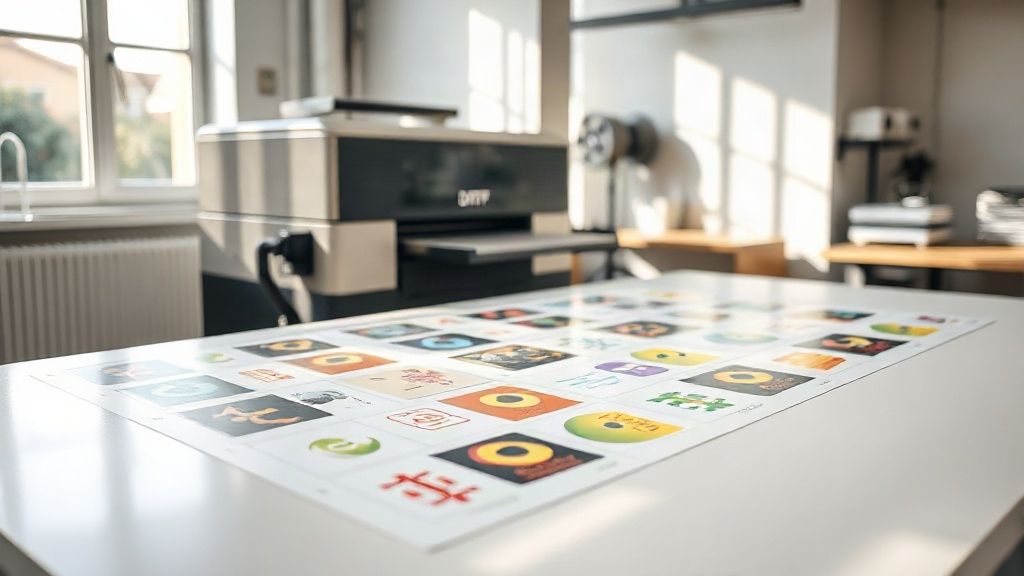
If you're in the custom apparel business, you've probably heard about DTF printing. It's a game-changer for transferring vibrant designs onto fabrics. But did you know that how you arrange those designs on a sheet can make or break your efficiency? That's where the DTF gangsheet comes in. In this guide, we'll dive deep into what a gangsheet is, why it matters, and how you can leverage it to save time and money while delivering stunning results to your customers.
What Is a DTF Gangsheet?
A DTF gangsheet is essentially a large sheet of transfer film that contains multiple designs printed together in one go. Instead of printing each design individually, you gang them up on a single sheet, hence the name. This method maximizes the use of the film and ink, reduces waste, and speeds up production. Think of it as batch printing for DTF transfers.
When you order a DTF gangsheet from a service like DTF Boost, you upload your artwork, and the software automatically arranges the designs to fit efficiently onto the sheet. You can then print the entire sheet and cut out each design as needed. It's perfect for small businesses that need to produce a variety of designs without investing in expensive equipment.
Why You Should Use DTF Gangsheets
There are several compelling reasons to incorporate DTF gangsheets into your printing workflow. Let's explore the main benefits.
Cost Efficiency
Printing multiple designs on a single sheet significantly reduces your cost per transfer. You use less film, less ink, and less time. For businesses that operate on tight margins, this efficiency can be the difference between profit and loss. Plus, if you're outsourcing your DTF printing, many services charge by the sheet, so ganging up designs lowers your cost per piece.
Time Savings
Time is money. Instead of loading and unloading the printer for each design, you print once and get all your designs. This is especially beneficial for orders with multiple sizes or designs, like team jerseys or promotional merchandise. You can produce a large batch in a fraction of the time.
Consistency and Quality
When you print all designs on the same sheet, they go through the same printing conditions, ensuring consistent color and quality across the board. No more slight variations between batches. This consistency is crucial for maintaining brand integrity.
Versatility
DTF gangsheets allow you to mix different designs, sizes, and even different types of artwork on one sheet. You can have logos, text, and graphics all together. This flexibility is ideal for custom orders where variety is key.
How to Create a DTF Gangsheet
Creating a gangsheet might sound technical, but it's straightforward with the right tools and knowledge. Here's a step-by-step guide.
Step 1: Prepare Your Artwork
Ensure all your designs are in a high-resolution format, preferably PNG with transparent backgrounds. DTF printing requires vibrant colors, so check that your files are in CMYK or RGB as per your printer's requirements. Also, make sure each design has a transparent background so they can be placed close together without overlapping backgrounds.
Step 2: Choose the Right Sheet Size
DTF gangsheets come in various sizes, typically measured in inches. Common sizes include 13x19, 22x24, and 24x36. The size you choose depends on the number and size of your designs. Larger sheets are more cost-effective if you have many designs, but smaller sheets are easier to handle for small batches.
Step 3: Arrange Your Designs
Use a gangsheet builder tool or software to arrange your designs on the sheet. The goal is to minimize empty space while maintaining a small gap between designs for easy cutting. Many online DTF services provide free gangsheet builders that automatically optimize the layout. You can also do it manually in graphic design software like Photoshop or Illustrator, but be mindful of the spacing and alignment.
Step 4: Add Registration Marks (Optional)
Some printers require registration marks for cutting. If you're using a cutting machine, include these marks in your layout. However, for manual cutting, you can skip them.
Step 5: Save and Upload
Save your gangsheet as a high-quality PDF or PNG. Then upload it to your DTF printer or service. If you're using a service like DTF Boost, they will handle the printing and shipping.
Tips for Optimizing Your DTF Gangsheet
To get the most out of your gangsheets, consider these expert tips.
- Group similar colors: If you have designs with similar color palettes, place them together to reduce ink switching and improve efficiency.
- Rotate designs: Sometimes rotating a design 90 degrees can fill gaps better and save space.
- Use nesting: Nesting involves fitting smaller designs into the empty spaces around larger ones. Software can do this automatically.
- Leave a margin: Leave at least 0.25 inches between designs and around the edges to prevent cutting into other designs and to allow for the film's edge.
- Test print: Before committing to a full sheet, do a test print on a small scale to check colors and alignment.
Common Mistakes to Avoid
Even experienced printers make mistakes. Here are some pitfalls to watch out for.
- Overcrowding: Packing too many designs without enough space can lead to cutting errors and damaged transfers.
- Ignoring film orientation: DTF film has a coated side that receives the ink. Printing on the wrong side ruins the transfer.
- Inconsistent sizing: If you're printing the same design in multiple sizes, ensure they are scaled correctly. A small error can lead to unusable transfers.
- Forgetting to mirror: For DTF, designs are printed in reverse (mirrored) so they read correctly when transferred. Always mirror your artwork before printing.
DTF Gangsheet vs. Individual Transfers
You might wonder if gangsheets are always better than printing individual transfers. It depends on your volume and needs.
For one-off designs or very small quantities, individual transfers might be more convenient. But as soon as you need more than a few transfers, gangsheets become more economical. They also reduce the risk of running out of a particular design mid-order because you have them all on one sheet.
Moreover, gangsheets are ideal for inventory. You can print a sheet with your best-selling designs and have them ready to press when orders come in. This reduces turnaround time and keeps customers happy.
How DTF Boost Can Help
At DTF Boost, we specialize in high-quality DTF gangsheet printing. Our advanced software optimizes your layout for maximum efficiency, and our state-of-the-art printers ensure vibrant, durable transfers. Whether you're a small Etsy shop or a large apparel company, we can handle your gangsheet needs. Simply upload your designs, choose your sheet size, and we'll take care of the rest. Plus, our fast turnaround times mean you get your transfers when you need them.
Frequently Asked Questions
What is the typical turnaround time for a DTF gangsheet order?
Turnaround time varies by service, but at DTF Boost, we typically print and ship gangsheets within 24-48 hours of receiving your order. Shipping time depends on your location. For urgent orders, expedited shipping options are available.
Can I mix different designs on one gangsheet?
Absolutely! That's one of the main advantages. You can combine any number of designs, as long as they fit on the sheet. Just ensure each design has a transparent background and is properly sized.
What file format should I use for my gangsheet?
We recommend high-resolution PNG files with transparent backgrounds. PDF is also acceptable. Avoid JPEGs as they don't support transparency and may have compression artifacts.
How do I calculate the cost of a DTF gangsheet?
Cost is usually based on the sheet size and the number of sheets. Some services charge per square inch. At DTF Boost, we offer competitive pricing with discounts for bulk orders. Use our online calculator for a quick estimate.
Do I need special equipment to use DTF gangsheets?
To apply the transfers, you'll need a heat press. A standard heat press works fine. For cutting, you can use scissors or a cutting machine. No other special equipment is required.
With these insights, you're ready to harness the power of DTF gangsheets to streamline your printing business. Whether you're a seasoned pro or just starting, gangsheets can help you work smarter, not harder. Visit DTF Boost to get started today.